Effect / Alesis / PicoVerb: Difference between revisions
No edit summary |
m ({{Classic icon}}{{Model I icon}}) |
||
| (5 intermediate revisions by the same user not shown) | |||
| Line 1: | Line 1: | ||
<big>''' Alesis PicoVerb '''</big> | <big>''' Alesis PicoVerb '''</big> | ||
{{Classic icon}}{{Model I icon}} | |||
{{:PS1 Powerstand/Effects/Serial}} | |||
== Reference == | |||
* [http://www.alesis.com/downloads/manuals/PicoVerb_Manual.pdf Alesis PicoVerb Manual] | * [http://www.alesis.com/downloads/manuals/PicoVerb_Manual.pdf Alesis PicoVerb Manual] | ||
=== Alesis PicoVerb Connections === | |||
Excerpt from the Alesis PicoVerb Manual | Excerpt from the Alesis PicoVerb Manual | ||
http://bose.infopop.cc/eve/forums/a/ga/ul/9501082142/inlineimg/Y/alesisNanoVerb1.gif | <!-- http://bose.infopop.cc/eve/forums/a/ga/ul/9501082142/inlineimg/Y/alesisNanoVerb1.gif --> | ||
[[Image:alesisXVerbPS1-1Channel.png]] | |||
Purple "Tip" is the Return to the Bose System | * Blue "Ring" is Send from the Bose System | ||
* Purple "Tip" is the Return to the Bose System | |||
From Page 15 in the Alesis PicoVerb Manual | From Page 15 in the Alesis PicoVerb Manual | ||
http://bose.infopop.cc/eve/forums/a/ga/ul/6901082142/inlineimg/Y/alesisNanoVerb2.gif | http://bose.infopop.cc/eve/forums/a/ga/ul/6901082142/inlineimg/Y/alesisNanoVerb2.gif | ||
=== Two Channels === | |||
It seems that with the Nanoverb you can use two channels when you operate in "stereo" mode. But you cannot control the left and right channels independently. So you can maintain the separation between the channels but not have them running different levels, mix, or effects. | |||
[[Image:alesisXVerbPS1-2Channel.png]] | |||
Note - you will need an INSERT cable for each Bose Channel you want to run through your effects unit. (up to 2 max). | |||
There is more discussion in the [http://bose.infopop.cc/eve/forums/a/tpc/f/301107819/m/9891067142 Original post in the Bose® Musicians Community Message Boards]</ref> | There is more discussion in the [http://bose.infopop.cc/eve/forums/a/tpc/f/301107819/m/9891067142 Original post in the Bose® Musicians Community Message Boards]</ref> | ||
| Line 39: | Line 31: | ||
<references/> | <references/> | ||
[[category:Alesis]] | |||
[[category:Effects PS1 Powerstand]] | [[category:Effects PS1 Powerstand]] | ||
[[category:PS1 Powerstand]] | [[category:PS1 Powerstand]] | ||
Latest revision as of 22:34, 23 June 2009
Alesis PicoVerb
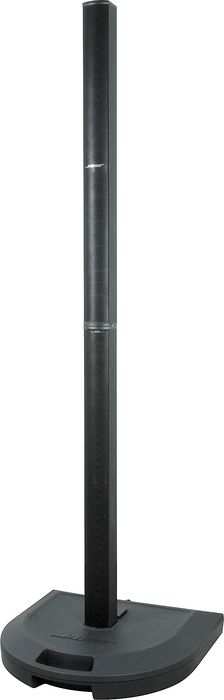
Connections at the PS1 Power Stand (Classic) / Model I
Serial Effects - Excerpt from the PS1 Power Stand (Classic) / Model I Manual

Insert Cable
Typical Insert Cable Hosa STP204

A common problem is with the way some Insert Cables are labelled. This is how the connections are run at the Insert Point of the PS1 Powerstand.

and this is connected to one of the PS1 Powerstand Insert Points

Reference
Alesis PicoVerb Connections
Excerpt from the Alesis PicoVerb Manual

- Blue "Ring" is Send from the Bose System
- Purple "Tip" is the Return to the Bose System
From Page 15 in the Alesis PicoVerb Manual

Two Channels
It seems that with the Nanoverb you can use two channels when you operate in "stereo" mode. But you cannot control the left and right channels independently. So you can maintain the separation between the channels but not have them running different levels, mix, or effects.

Note - you will need an INSERT cable for each Bose Channel you want to run through your effects unit. (up to 2 max).
There is more discussion in the Original post in the Bose® Musicians Community Message Boards</ref>