S1 Pro Firmware Update: Difference between revisions
Jump to navigation
Jump to search
m (formatting) |
m (S1 Pro System with Bose Connect App) |
||
| Line 1: | Line 1: | ||
If you want to update the firmware for the {{S1}} | {{S1 icon}} | ||
;This process works only with computers running Windows or iOS. | |||
If you want to update the firmware for the {{S1}} without using the [[S1 Pro System with Bose Connect App|Bose Connect]] app: | |||
# Navigate to [http://btu.bose.com the Bose Updater Site] | # Navigate to [http://btu.bose.com the Bose Updater Site] | ||
# Follow the prompts on the screen | # Follow the prompts on the screen | ||
Revision as of 23:14, 2 April 2019

- This process works only with computers running Windows or iOS.
If you want to update the firmware for the S1 Pro System without using the Bose Connect app:
- Navigate to the Bose Updater Site
- Follow the prompts on the screen
- When the screen looks like this connect the S1 Pro System to your computer
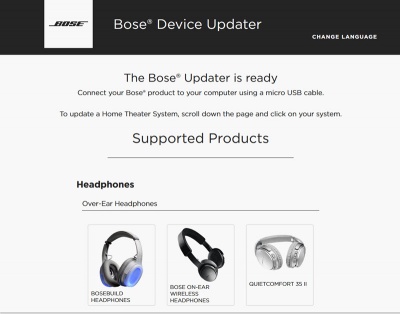
- If the screen says your system is up to date, you don't have to do anything more.
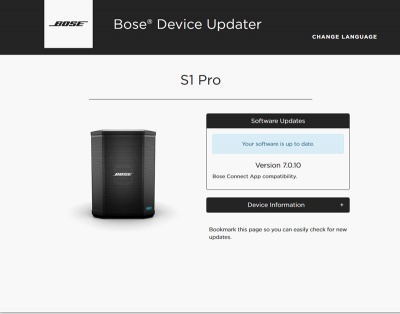
- If Bose Support has told you to reload the latest firmware
Type adv followed by the up arrow, down arrow
The screen will look like this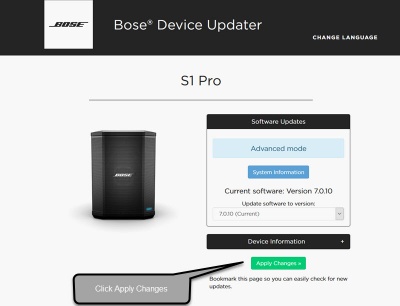
- Click Install Update and follow the prompts on the screen


