Template:Sub1/Sub2 Level Control: Difference between revisions
Jump to navigation
Jump to search
mNo edit summary |
mNo edit summary |
||
| Line 11: | Line 11: | ||
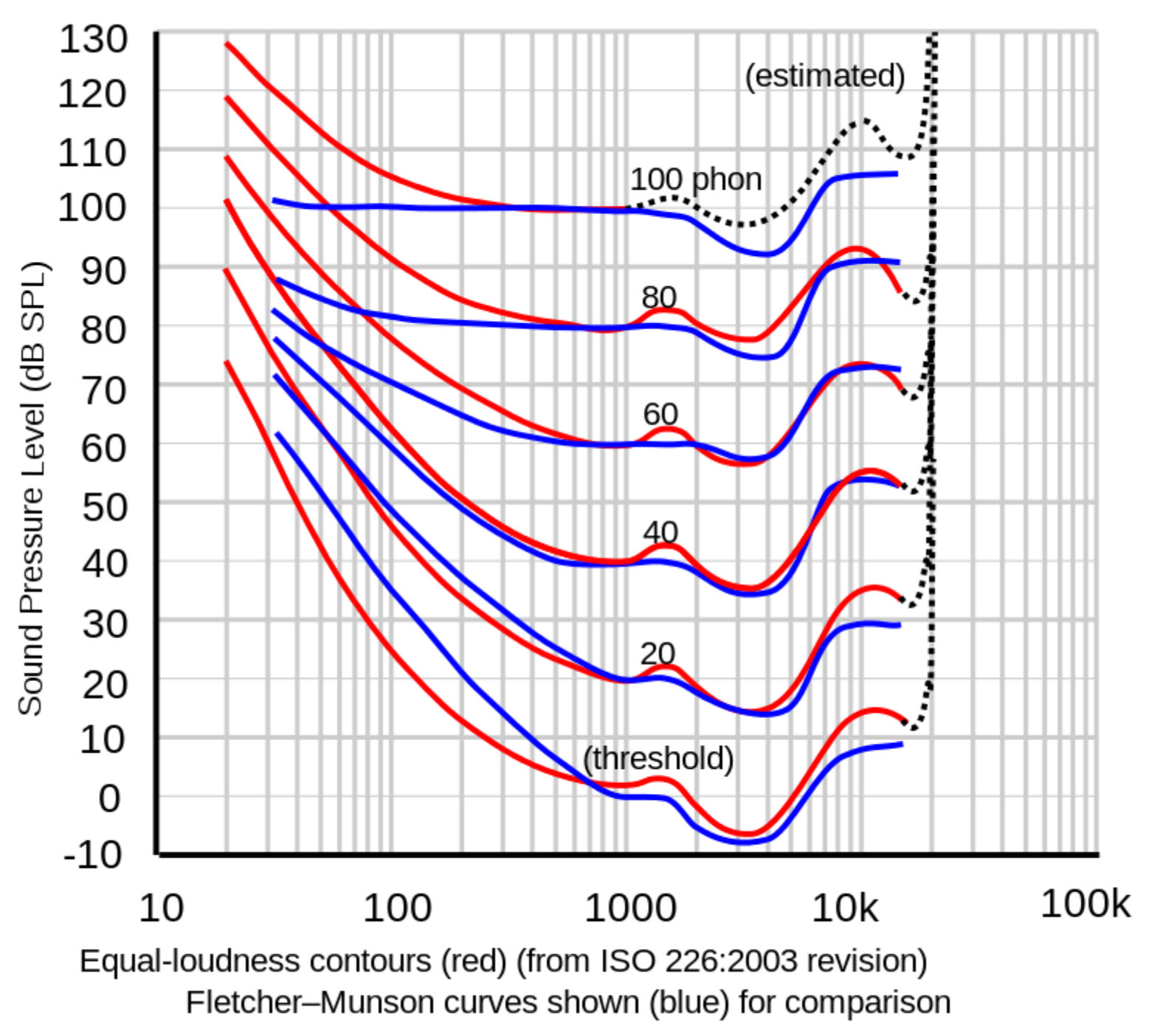
[[File:Equal Loudness.jpg|link=https://en.wikipedia.org/wiki/Equal-loudness_contour]] | [[File:Equal Loudness.jpg|link=https://en.wikipedia.org/wiki/Equal-loudness_contour]] | ||
[[File:Lindos1.svg|thumb|400px|right|alt=Equal-loudness contours from ISO 226:2003 shown with original ISO standard.|''[[International Organization for Standardization|ISO]] equal-loudness contours with frequency in Hz.'']] | |||
---- | ---- | ||
[[Category:L1 Pro]] | [[Category:L1 Pro]] | ||
[[Category:Equal Loudness]] | [[Category:Equal Loudness]] | ||
Revision as of 07:28, 30 April 2021
- Question
- Why have a LEVEL control on the Bose Sub1/Sub2?

- Answer
- Set the Sub1/Sub2 Level control at 12:00 o'clock.
- Raise the volume of the L1 Pro32 as required.
Notes:
- At lower volume, the Equal Loudness contour shows that humans don't perceive bass as well as mid-highs. You can compensate for this by turning up the Sub1/Sub2 LEVEL Control.
- At higher volume, the bass may seem excessive. You can compensate for this by turning up the Sub1/Sub2 LEVEL Control.