Category:ToneMatch: Difference between revisions
m (New page: .) |
mNo edit summary |
||
| Line 1: | Line 1: | ||
. | '''What is the concept behind ToneMatch™ presets, and what are the benefits?''' | ||
ToneMatch™ presets make it easy to get exceptional amplified tone from any voice or instrument when used with Bose® L1™ portable line array systems. When you select a proprietary ToneMatch preset for your microphone or instrument, you are tapping into a powerful new technology available only from Bose. A skilled studio engineer listened to the sound of your instrument being played through an L1 system, made adjustments to improve the sound quality and then saved those settings as a ToneMatch preset. | |||
Now the high level of tone customization that most musicians experience only in a recording studio is available on stage at your live performances. Sound check can be as simple as plugging in your instrument or microphone and selecting the appropriate ToneMatch preset. | |||
-- Source: [[L1™ Model I/FAQ#What is the concept behind ToneMatch™ presets, and what are the benefits?|Bose® L1™ Model I FAQ]] | |||
Revision as of 10:30, 18 August 2007
What is the concept behind ToneMatch™ presets, and what are the benefits?
ToneMatch™ presets make it easy to get exceptional amplified tone from any voice or instrument when used with Bose® L1™ portable line array systems. When you select a proprietary ToneMatch preset for your microphone or instrument, you are tapping into a powerful new technology available only from Bose. A skilled studio engineer listened to the sound of your instrument being played through an L1 system, made adjustments to improve the sound quality and then saved those settings as a ToneMatch preset.
Now the high level of tone customization that most musicians experience only in a recording studio is available on stage at your live performances. Sound check can be as simple as plugging in your instrument or microphone and selecting the appropriate ToneMatch preset.
-- Source: Bose® L1™ Model I FAQ
Pages in category "ToneMatch"
The following 31 pages are in this category, out of 31 total.
T
- T1 ToneMatch® Audio Engine / ToneMatch Downloads
- T1® / Downloads / Factory Settings
- T4S Restore Factory Presets
- T8S Restore Factory Presets
- Template:ToneMatch Mixer Presets As Shipped
- Template:ToneMatch Mixer Restore Factory Presets
- ToneMatch®
- ToneMatch® Interview / Takamine / Ovation
- ToneMatch® Interviews
- ToneMatch® Port
- ToneMatch® Presets / Taylor
- ToneMatch® Presets and Electric Guitar
- Trim Controls Volume Controls Master Volume
Media in category "ToneMatch"
The following 15 files are in this category, out of 15 total.
-
 Audix Presets List.pdf ; 20 KB
-
 CliffHenricksenTone.jpg 281 × 198; 23 KB
-
 JohnHall.png 200 × 201; 37 KB
-
 KenJacobAPersonalTakeOnToneMatch.jpg 600 × 365; 55 KB
-
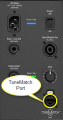 ModelIIToneMatchPort.png 171 × 326; 62 KB
-
 ModelIIToneMatchPortCloseUp.png 373 × 228; 48 KB
-
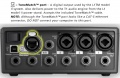 T1 ToneMatchOutput.jpg 567 × 367; 49 KB
-
 T1 ToneMatchPort.png 629 × 846; 344 KB
-
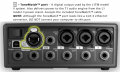 T1ToneMatchPort.png 586 × 354; 135 KB
-
 ToneMatchAudioEngineTM.svg 1,725 × 1,723; 8 KB
-
 ToneMatchCustomPresets.png 767 × 448; 79 KB
-
 ToneMatchLogo.png 198 × 70; 3 KB
-
 ToneMatchOvationTakamine.png 498 × 224; 43 KB
-
Taylor Presets List.pdf ; 24 KB
-


