T1 ToneMatch® Audio Engine / Versions: Difference between revisions
Jump to navigation
Jump to search
mNo edit summary |
mNo edit summary |
||
| Line 7: | Line 7: | ||
# Turn the first button until you see '''Versions''' | # Turn the first button until you see '''Versions''' | ||
# Press the button<br />[[Image:T1PrefsMenuVersions.gif]]<br /> | # Press the button<br />[[Image:T1PrefsMenuVersions.gif]]<br /> | ||
# The versions for the firmware will be displayed. | # The versions for the firmware will be displayed. The versions shown below are sample values. <br />See: [[T1 ToneMatch™ Audio Engine Firmware Updates]] for the latest firmware <br />[[Image:T1PrefsMenuDisplay.gif]]<br /> | ||
Revision as of 21:32, 3 November 2007
- Question How do I know what versions of firmware I have?
- Answer
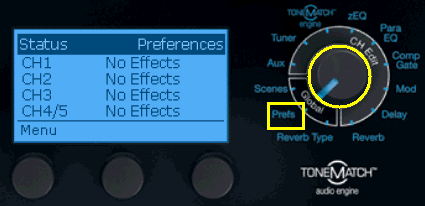
- Turn the Selector to Prefs
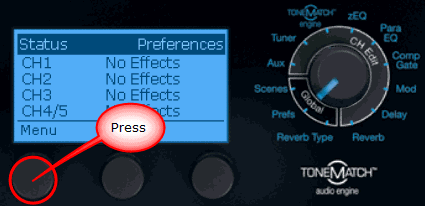
- Press the first button
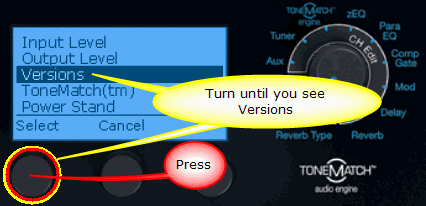
- Turn the first button until you see Versions
- Press the button
- The versions for the firmware will be displayed. The versions shown below are sample values.
See: T1 ToneMatch™ Audio Engine Firmware Updates for the latest firmware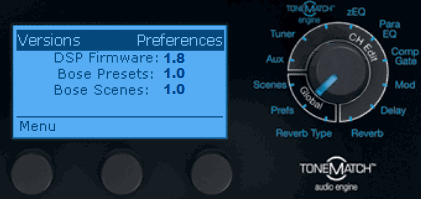


- T1 ToneMatch™ Audio Engine Firmware Updates - download the latest version of the firmware.