PS1 Powerstand / Daisy Chain
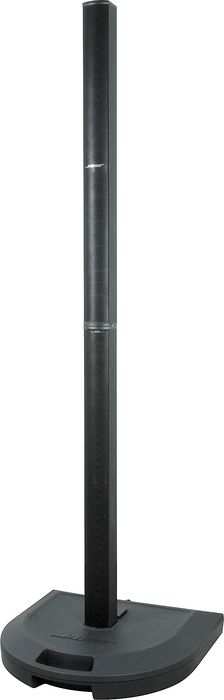
| On the relatively rare occasion where you might need to connect the output from one PS1 Power Stand (Classic) / Model I to another PS1 Power Stand (Classic) / Model I.
Here are some ways to approach it. |
Two PS1 Power Stand (Classic) / Model Is for one Vocal
You can
- Run your microphone into the first L1® PS1 Powerstand (let's say - Channel 1).
- In the Channel 1 section run an XLR cable from the Channel 1 Line Out
- At the other end of the cable connect a Pad. The people-at-Bose usually recommend a -20 dBu pad. Some owners have reported success with a -10 dBu pad.
- Why -20 dBu?
- The XLR connects to a balanced low impedance input stage with a lot of gain. The 1/4" input is unbalanced, has about 20 dB less overall gain but a very high input impedance. <ref Hilmar-at-Bose>
- Connect the Pad to the second PS1 Power Stand (Classic) / Model I Channel 1 or 2.
- On the first PS1 Power Stand (Classic) / Model I, set the input trim appropriately.
- Choose the best preset for your microphone.
- On the second PS1 Power Stand (Classic) / Model I, the input trim should be similar to what you set on the first one, but check the trim o/l light for a solid green light (occasional red flickers are okay).
- On the second PS1 Power Stand (Classic) / Model I, use the same preset as you used for the first one.

Arrows indicate the direction the signal is flowing.
- Position the two L1 s at least 20 feet apart if possible to avoid the possibility of odd phase effects in the audience. More detail: Phase Cancellation
- Close up view of the Input Panel
Two PS1 Power Stand (Classic) / Model Is for Mono Tracks (or one side of stereo pair)
In this example, we are using Channel 2 so that you leave Channel 1 available for another input like a vocal.
You can
- Run your input into the first L1™ PS1 Powerstand (let's say - Channel 2).
- In Channel 2 section run an XLR cable from the Channel 2 Line Out
- At the other end of the cable connect a Pad. The people-at-Bose usually recommend a -20 dBu pad. Some owners have reported success with a -10 dBu pad.
- Connect the Pad to the second PS1 Power Stand (Classic) / Model I Channel 2.
- On the first PS1 Power Stand (Classic) / Model I, set the input trim appropriately.
- Choose the best preset for your microphone.
- On the second PS1 Power Stand (Classic) / Model I, the input trim should be similar to what you set on the first one, but check the trim o/l light for a solid green light (occasional red flickers are okay).
- On the second PS1 Power Stand (Classic) / Model I, use the same preset as you used for the first one.
- For prerecored music or tracks or keyboards you want B1 Bass Modules as close together as possible, and the L1™s close together -or- at least 20 feet apart.

XLR Female to ¼ Inch Tip-Sleeve Male
Here is another method - use a cable with a XLR Female to ¼ Inch Tip-Sleeve Male from a Powerstand Line OUT to Channels 1, 2, 3 or 4 on a second Powerstand.
