T4S Connection to L1 Model I: Difference between revisions
Jump to navigation
Jump to search
mNo edit summary |
mNo edit summary |
||
| Line 1: | Line 1: | ||
{{Classic icon}}{{T4S icon}} | {{Classic icon}}{{T4S icon}} | ||
You can connect the {{T4S}} to the {{Classic}} or {{Model I}}, just as you would a | You can connect the {{T4S}} to the {{Classic}} or {{Model I}}, just as you would a {{T1}}. You'll need a [[T1 ToneMatch® Audio Engine power supply|ToneMatch Power Supply]] | ||
There's a slight difference because there are two 1/4 inch (6.3 mm) output jacks on the T4S for Left and Right Outputs. | There's a slight difference because there are two 1/4 inch (6.3 mm) output jacks on the T4S for Left and Right Outputs. | ||
| Line 13: | Line 13: | ||
When using a | When using a {{T1}} or {{T4S}} with the L1® Classic, you don't need to use the R1 Remote. | ||
;Stereo | |||
If you want to run a {T4S} with two {{Model I}} or {{Classic}} | |||
[[File:T4S to two L1 Classic Model I.jpg]] | |||
When using a {{T1}} or {{T4S}} with the L1® Classic, you don't need to use the R1 Remote. | |||
Revision as of 16:33, 30 January 2020
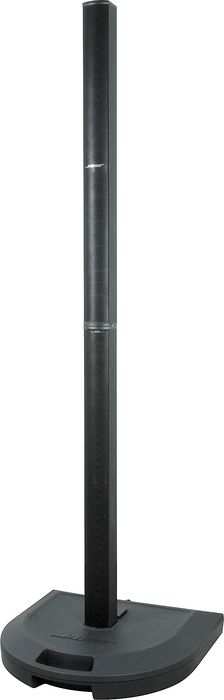

You can connect the T4S ToneMatch mixer to the L1 Classic or L1 Model I, just as you would a T1 ToneMatch Audio Engine. You'll need a ToneMatch Power Supply
There's a slight difference because there are two 1/4 inch (6.3 mm) output jacks on the T4S for Left and Right Outputs.
You've got two ways to handle this:
- Pan all your inputs to one side (e.g. Right) and connect the T4S Right output to the L1® Classic Channel 3 (try setting the level to about 4)
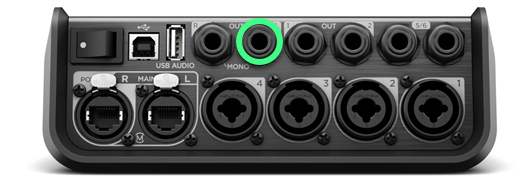
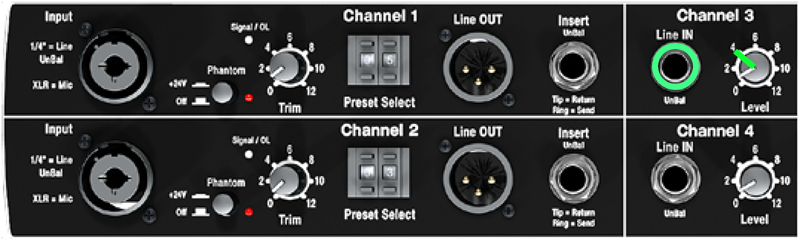
OR - Leave your inputs panned to center (the default setting), and connect
- T4S Left output to the L1® Classic Channel 3
try setting the level to about 4 - T4S Right output to the L1® Classic Channel 4
try setting the level to about 4
- T4S Left output to the L1® Classic Channel 3


When using a T1 ToneMatch Audio Engine or T4S ToneMatch mixer with the L1® Classic, you don't need to use the R1 Remote.
- Stereo
If you want to run a {T4S} with two L1 Model I or L1 Classic

When using a T1 ToneMatch Audio Engine or T4S ToneMatch mixer with the L1® Classic, you don't need to use the R1 Remote.