Template:T4S/T8S Factory Reset
Jump to navigation
Jump to search

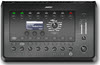
WARNING: Back up any saved scenes. All scenes will be overwritten when you Reset your ToneMatch mixer. You can restore them after you have done the Factory Reset. See: ToneMatch® Mixer / Scenes for more details.
Factory Reset: Turn off the ToneMatch mixer. Press and hold the MUTE buttons for Channels 1, 2, 3, 4) while you turn on the power. You will see
- Rebooting
- Factory Reset Please wait
- Factory Rest Complete
You can release the buttons when you see "Please wait"