ToneMatch Mixer Reverbs
Jump to navigation
Jump to search
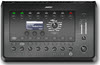

There are two reverb systems in the T4S/T8S ToneMatch® Mixers
- Main reverb for channels 1 through 4 (T4S) and 1 through 8 (T8S)
- Turn Rotary Selector to Global/Reverb Type
- Menu: Main (that's the default)
- Set the Type, Time, and Balance
- For each individual channel (CH EDIT Button)
- Turn Rotary Selector to Reverb
- Menu: Main (that's the default)
- Set Mix, Bright
- Aux 1 Reverb
- Turn Rotary Selector to Global/Reverb Type
- Menu: Aux 1 (you have to turn the Menu button to see it)
- Set the Type, Time, and Balance
- For each individual channel (CH EDIT Button)
- Turn Rotary Selector to Reverb
- Menu: Aux 1 (you have to turn the Menu button to see it)
- Set Mix, Bright