Different Models
|
How to Tell the Difference Between Bose Portable PA ModelsThis is how to tell which L1®, S1 Pro, or F1 unit you have.
|
||||||||||||||||||||||||||||||||||||||||||||||||||||||||||||||||||||||||||||||||||









Warranty Information
Another significant distinction is the warranties on the electronic components. See: Warranty Information
Common Terms
L1®
L1 is often used to refer to one system including the L1 Cylindrical Radiator® loudspeaker, Power Stand, and one or more B1 Bass Modules. "PAS" has never been used by Bose out of respect for another company's trademark.
Classic (L1® Classic)
 2003-2007: This was the original L1 and this has now been replaced by the L1 Model I. See L1 Classic
L1® Model I (L1® Model I)
 2007 - : The L1 Model I is the new version of the L1 Classic. It is RoHS compliant for release in Europe but functionally basically the same.
Distinguishing features include orange labels on the back of the power stand and on the line arrays. Also many of the accessory connectors have been removed on the back panel. See L1® Model I
L1® Model II (L1® Model II)
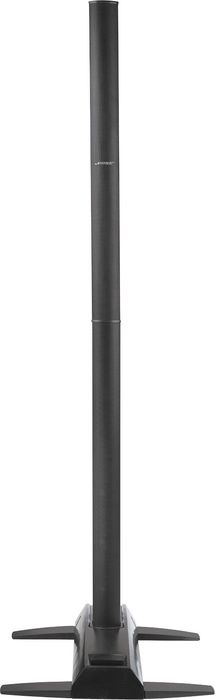
 2007 - : Lighter, smaller Power Stand with folding legs, uses an articulated array in the Cylindrical Radiator. This uses the T1 as its recommended user interface and connection point for all inputs. At least one B1 Bass Module is required for proper operation. See L1® Model II
T1® (T1 ToneMatch® Audio Engine)
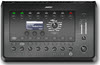
 2007 - : This is a the user interface and input panel for the L1® Model II with inputs for microphones (up to three) and line level inputs (up to two more). It is compatible with the L1® Classic and L1® Model I as well. See T1 ToneMatch™ Audio Engine.
A1 (PackLite® power amplifier Model A1)
 2006 - :Power Amplifier used to support one or two B1 Bass Modules. All the L1 Power Stands (L1 Classic, L1 Model I, L1 Model II) can support up to two B1 Bass Modules. With PackLite® you can add more. See: PackLite® power amplifier Model A1
B1 (B1 Bass Module)
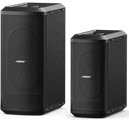
 2003 - : These supply the bass frequencies for the L1 . Up to two of these may be attached to the Power Stands of any model except the L1 Compact. These are often referred to as "subs".
For the L1 Classic and L1 Model I the B1 Bass Module is optional. With the L1 Model 1S and L1 Model II at least one bass module B1 Bass Module or B2 Bass Module is required for the proper operation of the System. See: B1 Bass Module
B2 (B2 Bass Module)
 2012 - : These supply the bass frequencies for the L1 . One of these may be attached to the Power Stands of any model except the L1 Compact. These are often referred to as "subs".
For the L1 Classic and L1 Model I the B2 Bass Module is optional. With the L1 Model 1S and L1 Model II at least one B1 Bass Module is required for the proper operation of the System. See: B2 Bass Module
L1 Cylindrical Radiator® loudspeaker

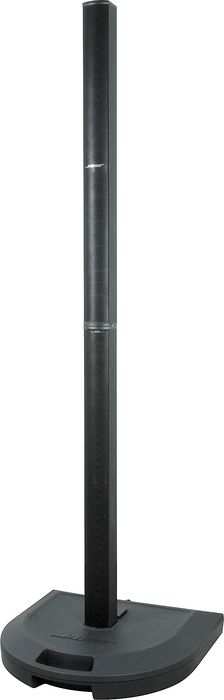
This refers to the actual loudspeaker that plugs into the L1 Power Stand. This breaks down into two pieces for transport, but when assembled, functions as a single unit. See: L1 Cylindrical Radiator® loudspeaker
Orange L1 Markers
The L1 Model I has orange L1® Markings on the Power Stand and the L1 Cylindrical Radiator® loudspeaker sections. The other Models do not have these.

Power Stand

L1 Cylindrical Radiator® loudspeaker sections

Compatibility with Other Members of the L1® Family of Products
Cylindrical Radiator®s
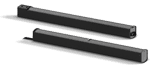
Cylindrical Radiator®s are not interchangeable across models
Specifically (and without exception)
- The Cylindrical Radiator speaker sections of the L1 Classic, the L1 Model I and L1 Model 1S and the L1 Model II are not compatible with each other.
- The Cylindrical Radiator speaker sections of the L1 Classic can only be used with the Classic PS1 power stand (no orange markings on the input/output panel).
- The Cylindrical Radiator speaker sections of the L1 Model I (orange markings on the back of both sections) can only be used with the Model I PS1 power stand (orange markings on the input/output panel).
- The Cylindrical Radiator speaker sections of the L1 Model II can only be used with the L1 Model II power stand.
- The Cylindrical Radiator speaker sections of the L1 Model 1S can only be used with the L1 Model 1S power stand.
T1 ToneMatch® Audio Engine, T4S/T8S ToneMatch® Mixers
- The ToneMatch mixers can be used with the
PackLite® power amplifier Model A1
- The PackLite® power amplifier model A1 can be used with
B1 Bass Module
- The B1 Bass Module can be used with the
B2 Bass Module
- The B2 Bass Module can be used with the
- L1 Classic Normal Mode only
- L1 Model I Normal Mode only
- L1 Model 1S all modes
- L1 Model II all modes but L1® Model II Power Stand Firmware version 1.4 or later required